
Use the BlueSnap-managed experience when you want merchants to manage account and payment activity directly in the BlueSnap Merchant Portal. The portal lets merchants use BlueSnap-hosted tools to view reports, track orders and transactions, issue refunds, manage disputes, review fraud tools, and update account settings.
This reduces the reporting, refund, dispute, and account-management functionality your platform needs to build and helps you go live faster. Your platform still owns the embedded payments integration, including onboarding, payment processing, and any platform-specific merchant experience.
If you want to keep merchants inside your own product or you need to control the full merchant support and operations experience, use the platform-managed experience instead.
How It Works
In the Merchant Portal experience, BlueSnap provides the merchant-facing operational tools.
- Merchant is approved.
- Merchant receives access to the BlueSnap Merchant Portal.
- Merchant manages account and payment activity in BlueSnap.
- Your platform continues to process payments and manage the parts of the merchant relationship you own.
Your platform still controls the embedded payments integration, including onboarding, payment processing, platform fees or splits, and any platform-specific workflows. The difference is that merchants use BlueSnap directly for day-to-day payment operations instead of relying on your platform to build those tools.
Merchant Actions
The table below summarizes the main workflows merchants can manage in BlueSnap
| Capability | What Merchants Can Do in BlueSnap |
|---|---|
| Dashboard and account activity | View account balance, recent payment activity, sales, conversions, and chargeback values. |
| Reporting | Run and download standard reports, and use custom reports when available. |
| Orders and transactions | Find transactions and review order, subscription, refund, chargeback, and partial capture history. |
| Refunds | Issue full or partial refunds from the Merchant Portal. |
| Chargebacks and disputes | Review and manage chargebacks and dispute activity. |
| Fraud prevention | Use available fraud prevention tools and settings, depending on configuration. |
| Notifications and webhooks | Configure notifications or webhooks settings, depending on account permissions. |
| Users and permissions | Create users and manage account access. |
| Account settings | Manage available account settings such as payout, payment method, notification, descriptor, and security settings. |
Reporting
Merchants can run and download reports directly in the BlueSnap Merchant Portal to review payment activity, settlement details, payout activity, refunds, chargebacks, and reconciliation data.
Your platform can still use BlueSnap reports or the Reporting API if you want to display selected reporting data in your own system.
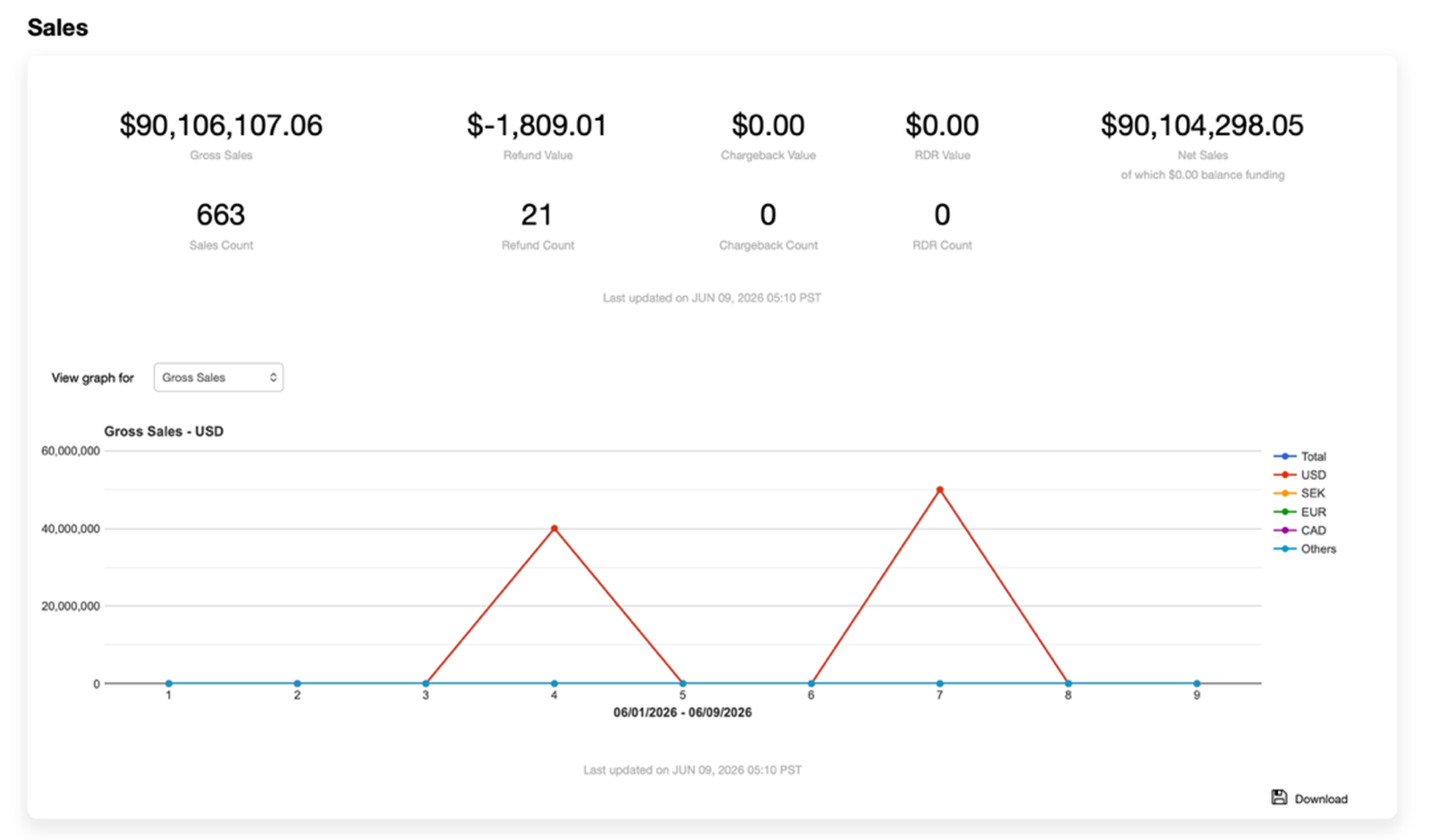
Orders and Transactions
Merchants can use the Merchant Portal to find orders and transactions, review payment status, and see related activity such as refunds, chargebacks, subscriptions, or partial captures.
This helps merchants support buyer questions without relying on your platform for every transaction lookup.
Refunds
Merchants can issue full or partial refunds directly in BlueSnap. Your platform can still issue refunds through the Payment API if you also want to support refund workflows in your own system.
If pending refunds are enabled for the merchant account, BlueSnap can queue a refund when the account does not have enough available funds to cover the full refund amount. The pending refund processes automatically after the account has a positive balance.
Chargebacks and Disputes
Merchants can use BlueSnap chargeback management tools to review and manage dispute activity. This works well when merchants are expected to review dispute details, submit representment material where applicable, and monitor outcomes directly in BlueSnap.
Your platform can still use chargeback notifications or reporting if you need visibility into dispute activity across your merchant portfolio.
Fraud Prevention
Merchants can use available BlueSnap fraud prevention tools and settings, depending on their account configuration and permissions.
Notifications and Webhooks
Merchants can configure email notifications and webhooks in BlueSnap Merchant Portal. If your platform needs portfolio-level visibility, configure the required webhooks for your own systems even if merchants also use the Merchant Portal.
User Access and Account Settings
Merchants with portal access can manage users and account settings based on their permissions.
What Your Platform Still Owns
Even when merchants use the BlueSnap Merchant Portal, your platform may still own parts of the merchant experience. Your platform typically still owns:
- The merchant relationship and commercial experience
- Your platform dashboard and product workflows
- Merchant onboarding experience, depending on your onboarding model
- Payment processing integration
- Platform fees, commissions, or split-payment configuration
- Any merchant-facing support experience you choose to provide
- Any reporting or notifications you want to show inside your own platform
Using the BlueSnap-managed experience does not remove your platform’s operational responsibilities. It means BlueSnap provides the tools merchants use for day-to-day payment and account management.