
During underwriting, BlueSnap may request additional documents to verify information in a merchant application. When this happens, BlueSnap creates a document request case with a unique case_id and a description of the requested documents.
Types of Documents
BlueSnap may request different documents depending on the merchant’s business model, application details, country, and underwriting requirements. Examples include:
- Government-issued photo ID
- Voided check or bank letter
- Business registration documents
- Financial statements
- Processing statements
- Forward delivery schedule
- Website or description of goods and services
Choose Your Document Request Workflow
Choose the workflow based on who should own the merchant communication and document collection experience. In general, use BlueSnap-managed requests for the simplest implementation and use platform-managed requests when your platform needs to own the merchant-facing document collection experience.
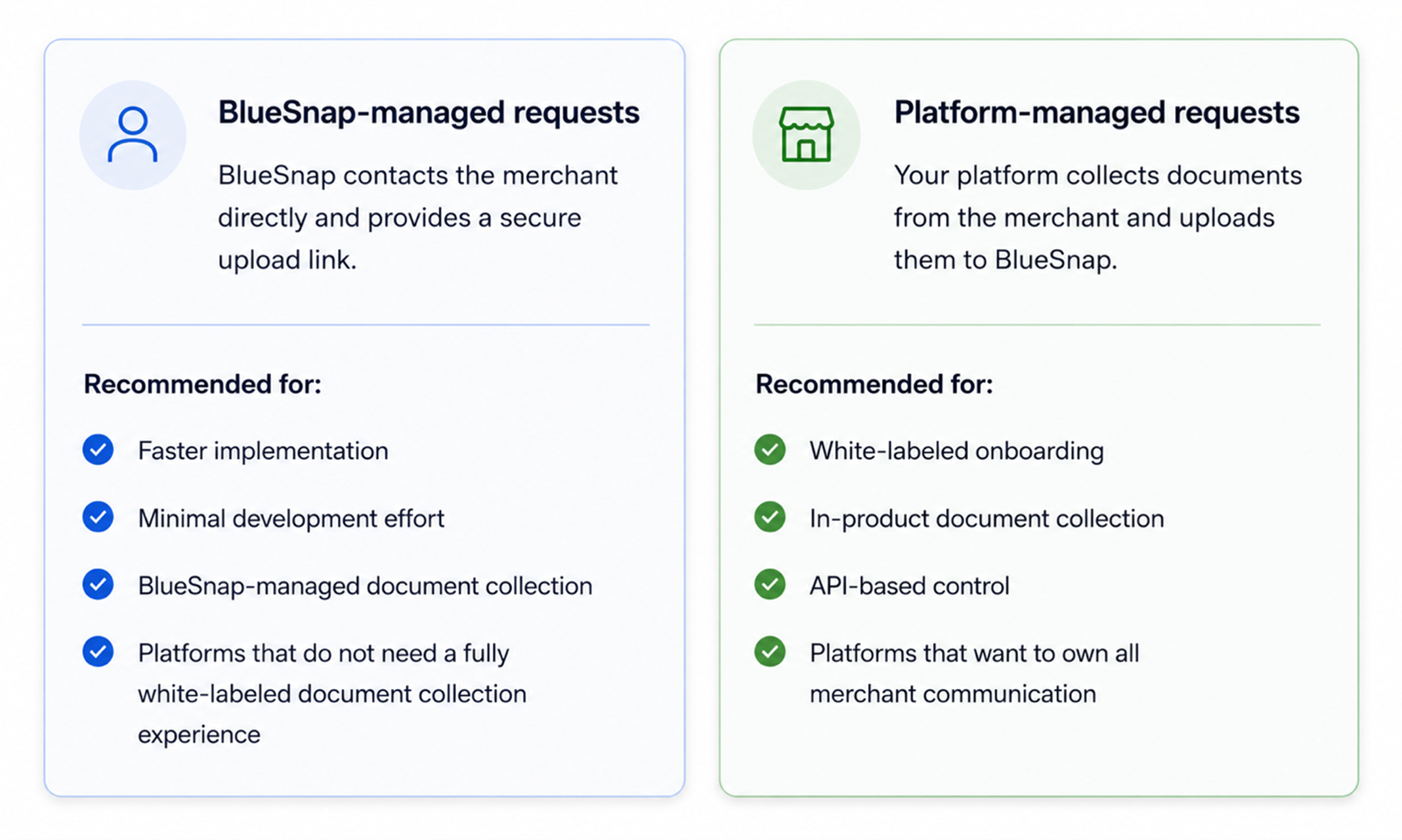
BlueSnap-Managed Document Requests
Use BlueSnap-managed requests when you want BlueSnap to collect documents directly from the merchant. When documents are required, BlueSnap emails the merchant with:
-
A description of the requested documents
-
A secure link to upload the documents
The merchant is responsible for submitting the requested documents. In this workflow, your platform does not need to collect or upload documents. Continue tracking the merchant’s status using onboarding webhooks or the Partner Portal.
Platform-Managed Document Requests
Use platform-managed requests when you want to keep the merchant inside your own onboarding experience.
When documents are required, BlueSnap sends your platform an APPLICATION_DOCUMENT_REQUEST webhook. Your platform then uses the Document Upload API to retrieve the request details, collect the documents from the merchant, and upload the files to BlueSnap.
This workflow requires your platform to handle document request webhooks, retrieve request details, collect the required documents from the merchant, upload documents by API, and manage merchant communication.
After Submission
After BlueSnap receives the requested documents, underwriting continues reviewing the merchant application.
If more information is needed, BlueSnap may create another document request.
If the merchant is approved, BlueSnap sends a MERCHANT_PARTNER_ONBOARDED webhook so your platform can update the merchant status and continue setup.